Get Shadowrocket from the App Store Only
This is not ceremony. The app’s critical permission lives on the system, not on a webpage.
Permission follows the install source
For Shadowrocket to put this device’s traffic under its own policy, iOS must add a VPN configuration. The system asks whether you allow “this app” to write that configuration. “This app” is defined by the install source. The App Store copy keeps updates on the same channel, so the system always knows which package it is. Change the source and you can no longer verify that later updates are still the same binary, or that the VPN profile is still signed by the developer you think it is.
That is why this site only links to the store, does not host installers, and does not describe alternate install methods. Not because the store looks more respectable, but because the rest of the chain sits on whether the system recognizes this package. Get that wrong once, and later subscriptions, configs, and comparisons lose a trustworthy base. In the three-layer model this is a first-layer source problem; see The app, the subscription, and the config are not one layer.
If search finds nothing, the region is unavailable, or the price is not what you remember, that does not mean “so download it from another site.” Those symptoms only mean the shelf does not match this Apple ID’s region, or you are looking at a different listing. Go back to region and the checklist. Do not change the source.
Three things to verify now
The name must be spelled Shadowrocket in full. Skip look-alike spellings and titles that add “VPN,” “Pro,” or “Unlocked.” The name is the first thing you can read on the payment screen, and the easiest thing to fake. The icon alone is not enough, and the name alone is not enough. Check all three together.
The icon is a white tile with a teal-to-purple line-drawn rocket—not an orange 3D rocket, and not another “accelerator” style mark. In search results, look-alike listings often sit next to each other. Open the large artwork before you pay. Do not decide from the thumbnail.
The store listing is id932747118. The developer name shown is Shadow Launch Technology Limited. The Bundle ID is com.liguangming.Shadowrocket. The old numeric ID is no longer findable in the store. Do not hunt for “a package that still installs” because a search history, forum screenshot, or old email still shows another ID. A missing old ID only means the listing changed. It does not mean the official app vanished.
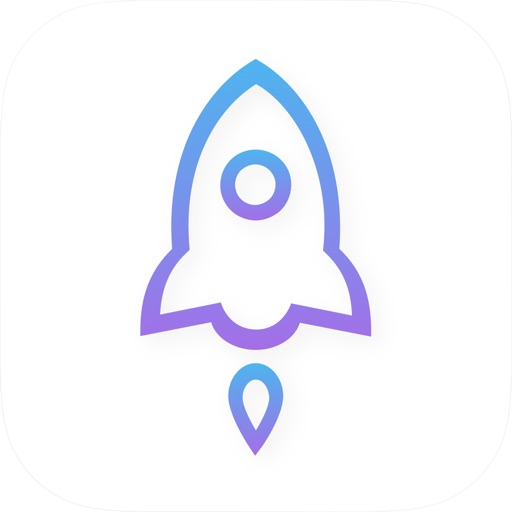
White tile, teal-purple line rocket · id932747118
You bought a license, not a network
This payment covers installing and updating the client on this device, importing your own subscription and config, using rule-based routing, requesting a system VPN, and backing up or reading diagnostics. It does not cover any node, traffic, or expiry. An empty Home after launch does not mean you bought the wrong app. It means the second layer is not connected yet. How to read an empty list: Subscribe is not Add Server.
Whether Family Sharing works follows your current store rules. This site does not promise it. Do not use someone else’s purchase, a shared account, or a gift-card detour “just to get it installed.” Once the source is fuzzy, the VPN authorization layer becomes fuzzy too. What you save is not money. It is the basis for later judgment.
Price follows the region’s currency. Before you pay, read the amount and the account region, and confirm this is a one-time purchase—not another listing you tapped by mistake. This site does not quote a price, so a stale number cannot become a new source of confusion.
If search finds nothing, start with the region
The store shows a shelf for the Apple ID’s region. If the current region does not carry the app, search fails or the listing is unavailable. That is not “the official download is blocked, so find a backup package.” Confirm this account’s store region, then open id932747118 from the download page. A browser store link and the App Store app still follow the same shelf logic: wrong region, no listing.
This site does not explain how to change region, or how to prepare another account. That belongs to the Apple account, and it is often the exact pitch fake sites use to pull people off the store. You only need this: a region problem and a source problem are not the same problem. Fixing region the wrong way can break the first layer as well.
Pay only after the checklist passes. After install, the Home Screen icon should match this page. The first time you open the app, leave the connection switch off and import a subscription from the tutorial. Do not flip the switch on an empty Home. That will not make the store “give you some nodes.”
The first layer is done only after the right app is installed
Having the official client only finishes the first of three layers. You still need a subscription or a manually entered node, a config you understand, and one system VPN authorization. Miss any of those and the tutorial can only take you to “the app is installed.” Do not read this page’s store emphasis as “the store replaces the other two layers.”
The reverse is also true: when the later layers fail, do not go back to “maybe I should switch packages.” Reinstalling, changing source, or downloading a so-called fix is the most expensive, slowest troubleshooting. Locate the layer from the symptom, then act. For the comparison modes see What Config, Proxy, and Direct are each looking at. The full checklist is on the download page; step-by-step install is in Tutorial chapter 1.
This site can help you verify the name, icon, Bundle ID, and store listing. It cannot prepare a working subscription for you, and it cannot tap Allow on the system prompt. Miss any piece and the whole thing looks broken. Finish the layer you can actually verify first.
Fakes usually fail on the details
A fake does not have to look crude. More often the name is one letter off, the icon is an orange 3D rocket, the developer name is close but not the same, or the description piles on “nodes, free, unlock.” The payment screen is the last check, not the first. Stop in the search results. Match id932747118 before you tap Get.
This site does not provide installers and does not review third-party store screenshots. Remember this: an app that can open a system VPN must still be trustworthy on the next update. Installing once is not enough. If a later update changes the signature, you often notice only when you can no longer connect. Keeping the source on the App Store is how the first layer is still the same layer six months later.